What is Klaviyo?
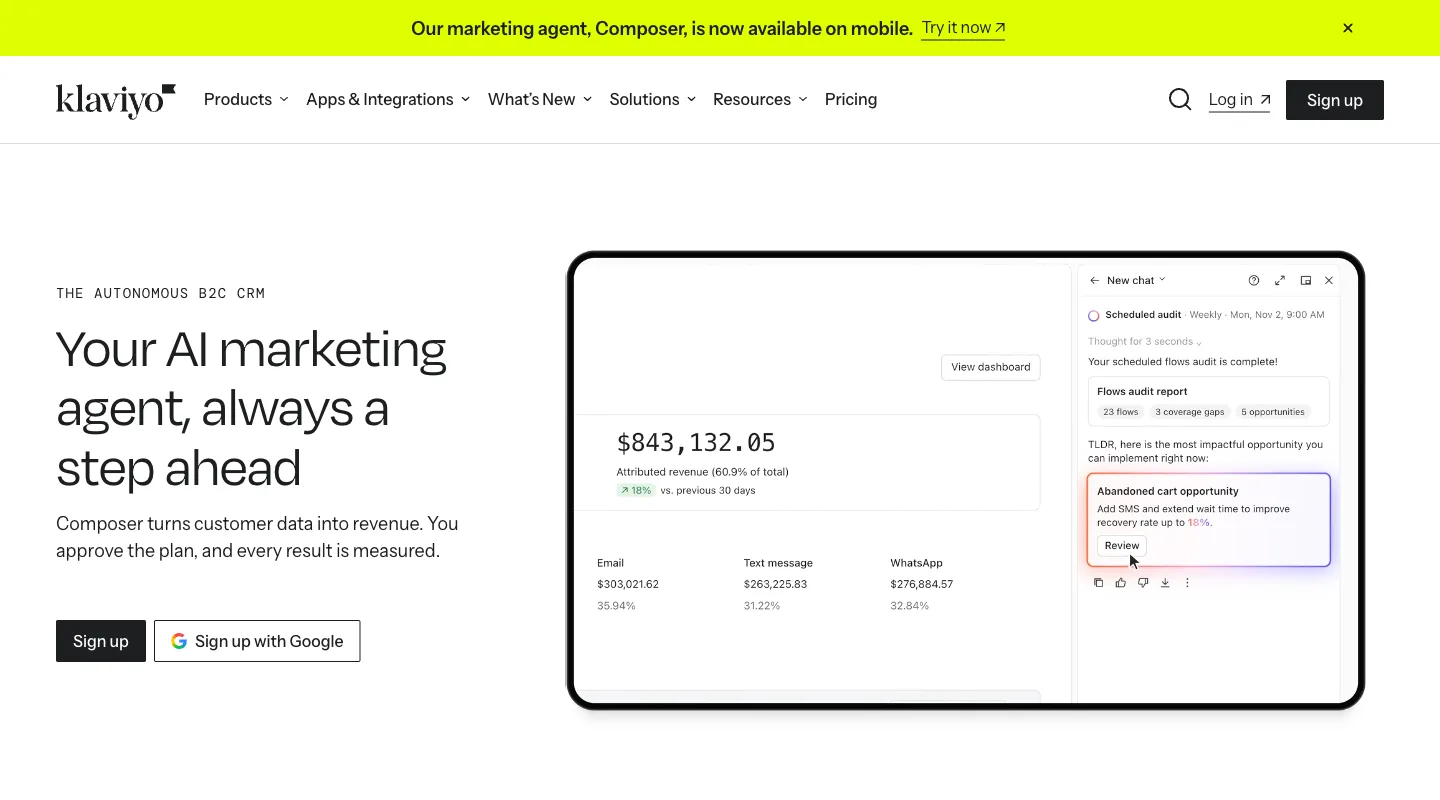
Klaviyo describes itself as a B2C CRM and AI marketing platform. It brings your customer data together and automates email, SMS, WhatsApp and mobile push from it.
Beyond marketing messages, Klaviyo sells customer-service tools (Helpdesk, and Customer Agent, an AI agent that answers shopper questions), an on-site Customer Hub, Reviews and Social marketing.
The useful question is which of those tools you will actually use. Start with the work you need to do: send a newsletter, follow up after checkout, grow your list, or reach a particular group of customers. Here is how the main pieces fit together.
What can you do with Klaviyo?
You can build and send email campaigns, automate follow-ups with flows, target groups with segments, collect sign-ups with forms, add SMS and other channels, and read the results in reports.
Build emails and send campaigns
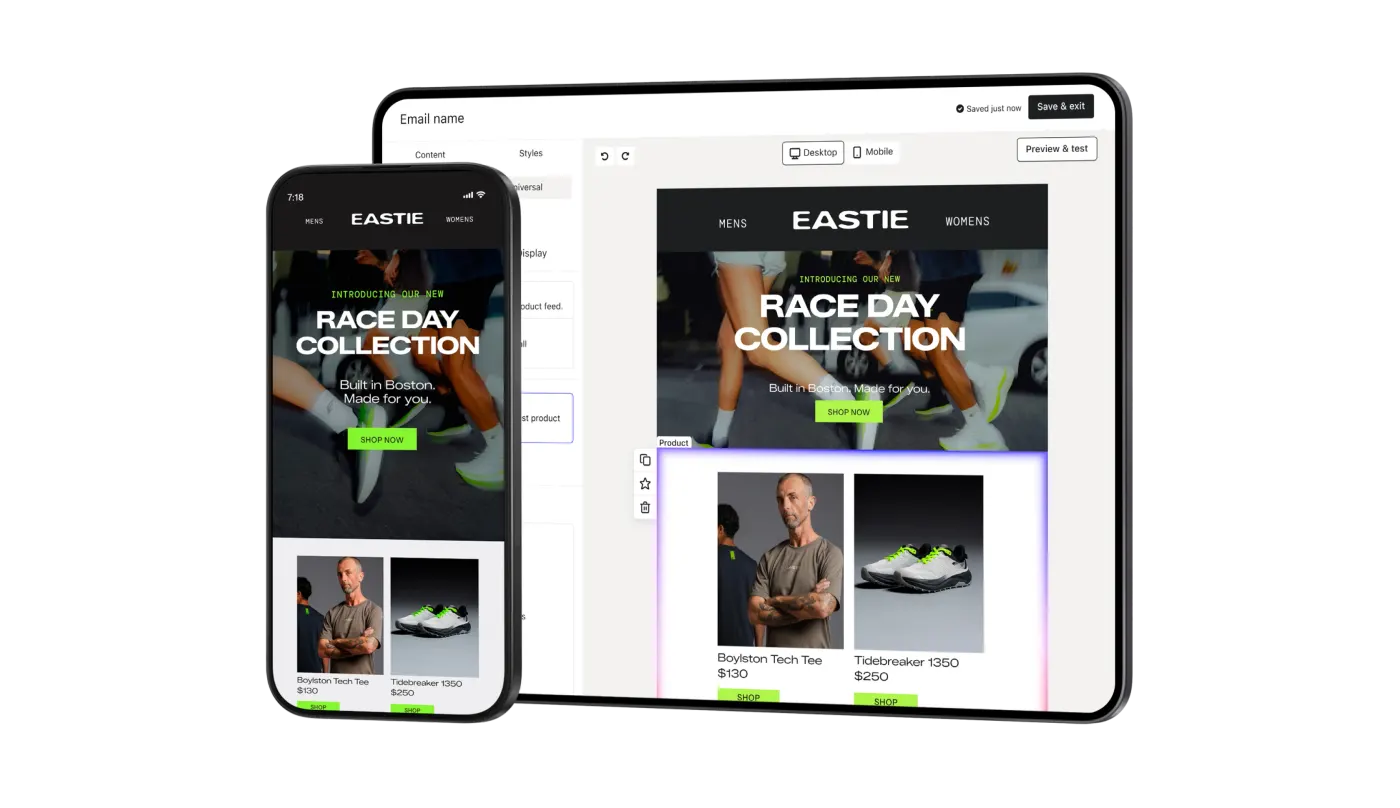
If you want to announce a product, share an offer or send a newsletter, you can build a campaign in Klaviyo and choose who receives it. Its email tools include customizable templates and a drag-and-drop editor, so you can put an email together without writing code. You can also use customer data to personalize the content.
We think the feature-rich email designer is one of Klaviyo’s strengths. EmailToolTester also finds the builder, templates and reports beginner friendly. That is useful if you want control over the email itself; learning how to choose the audience and automate the follow-up is a separate part of the job.
Follow up automatically with flows
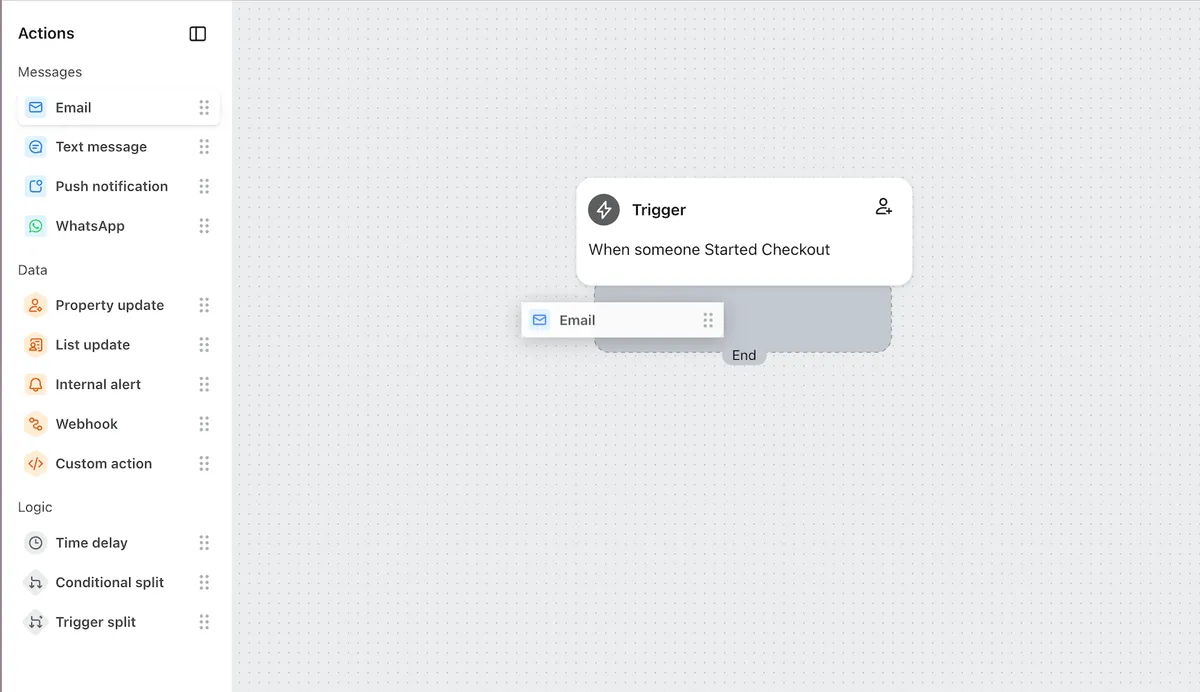
A campaign is a send you plan for a particular audience. A flow starts when something happens, such as someone joining your list or starting checkout. You build the sequence once, then use delays and branches to decide what happens next for each person.
Klaviyo’s flow builder lets you start from a template or build your own sequence. Its getting-started guide recommends beginning with welcome, abandoned-cart, post-purchase and win-back flows. The guide also recommends reviewing, customizing and previewing the default messages before you switch a flow on.
For the strategy behind those sequences, read our guides to welcome flows, abandoned-cart emails and win-back emails.
Choose your audience with segments
You do not have to send the same offer to your whole list. Klaviyo lets you build segments using purchase history, website activity, email engagement and customer details. These groups update as people meet or stop meeting the conditions you set.
For example, you could build a group of repeat buyers for a loyalty message, or a group of past buyers who have stopped engaging for a re-engagement campaign. Those are illustrative uses, not segments we tested for this review. The work is deciding what qualifies someone for each group. EmailToolTester finds this part harder for beginners than the email builder, with technical jargon and few ready-made segment templates.
Our email segmentation guide explains how to choose useful groups before building them in a tool.
Grow your list with sign-up forms
Klaviyo’s web forms let you collect email and SMS sign-ups on your website. Its template library includes pop-ups, embedded forms and multi-step forms, so you can choose how the invitation appears rather than building it from scratch.
This is a different job from sending the messages: the form asks someone to join; your campaign or welcome flow handles what you send afterward. If you are choosing Klaviyo mainly to grow a list, look at the form experience as well as the email designer. EmailToolTester reports that Klaviyo has no dedicated landing page builder, though workarounds are possible.
Add SMS and other channels
Klaviyo supports SMS, WhatsApp and mobile push alongside email. Its automation tools can put email, texts and push notifications into the same workflow. That gives you a way to plan follow-ups across channels from the same customer data.
We see multichannel marketing as a strength. But decide which channels your customers need before budgeting for the platform. Use our pricing guide to work through the plan costs and SMS billing separately.
Understand the results with reports
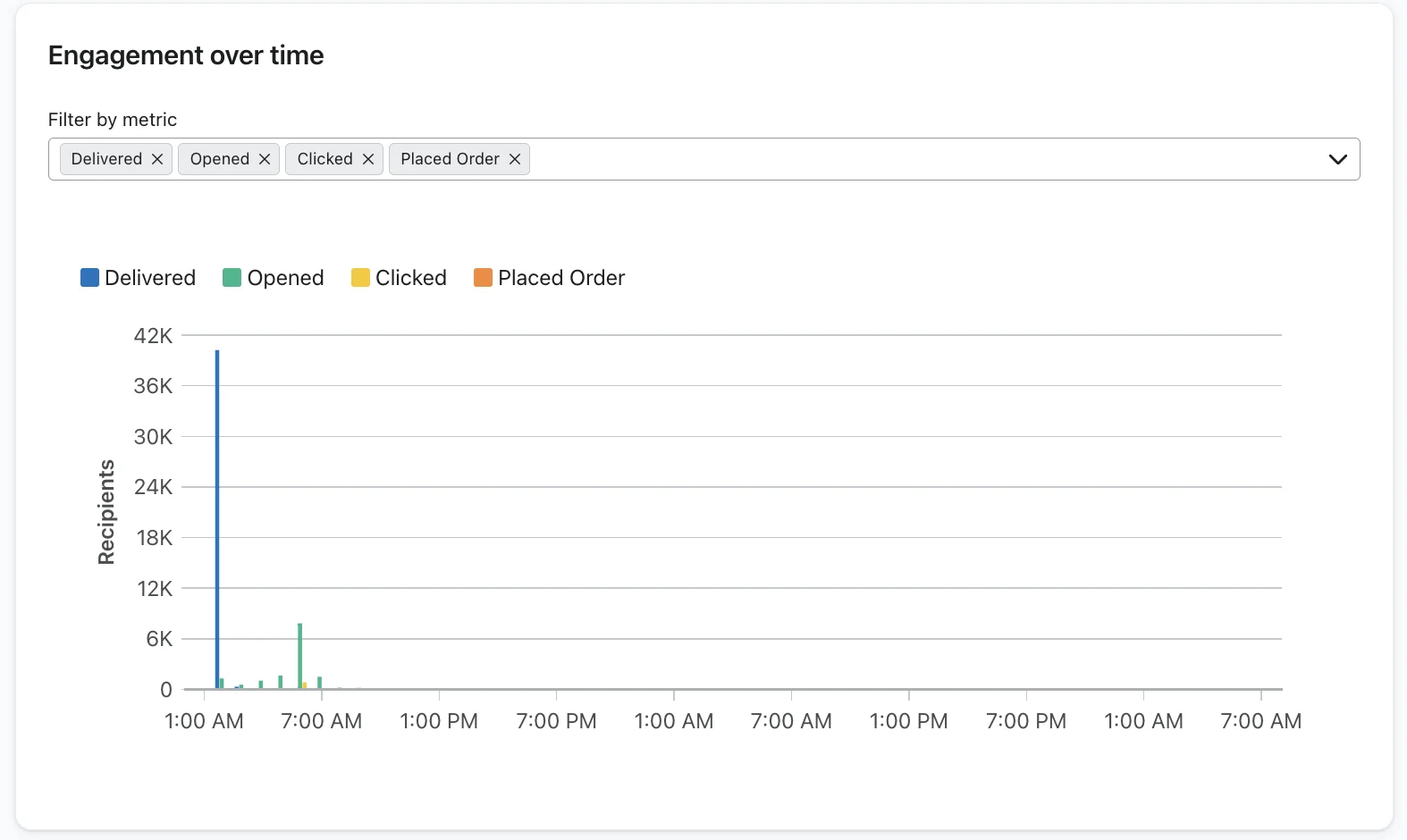
Klaviyo’s campaign reports show results such as opens, clicks and conversions, with attributed revenue and link activity available for further analysis. Its audience reports help you look at engagement within a list or segment.
Start with the question you need the report to answer: did people click, which links interested them, and which conversions were credited to the campaign? Klaviyo lets you change its attribution window: how long after an interaction it credits a conversion to a message. Check that setting before interpreting the revenue figure. For problems reaching the inbox, our deliverability guide covers what to investigate.
How does Klaviyo connect to your store?
Klaviyo says it has more than 400 pre-built integrations, including native integrations with ecommerce platforms such as Shopify. The point is to bring the data your marketing needs into one place. Its customer data platform combines customer information for use across marketing, service and analytics.
For flows, that connection matters because you can use synced data to trigger and target messages. Before choosing a platform, write down the events you need your store to supply and the follow-ups you want to build from them. Klaviyo’s flow library can be filtered by ecommerce integration, which helps you find templates that work with your setup.
If you are moving from another tool, budget for the migration as well. EmailToolTester reports no free migration assistance from Klaviyo, though built-in integrations can transfer subscribers from some platforms. An integration that brings over subscribers does not, by itself, settle the rest of your migration plan.
What does Klaviyo’s AI do?
Composer is Klaviyo’s AI marketing agent. Klaviyo says it spots opportunities in your customer data, then plans and launches campaigns, with you approving each step.
In our view, Klaviyo’s AI features, Composer included, are not great yet, though they are improving. Treat the vendor’s description as a reason to explore the tool, and check its output against the work you need done. We have not run a hands-on test for this page. For the wider question of what AI can help with, read our AI email marketing guide.
Who is Klaviyo for?
Who it suits
Our view: growing B2C brands, ecommerce and other consumer businesses at roughly $2M to $20M in revenue, that want marketing across several channels with good data integration.
What to consider
EmailToolTester’s hands-on review recommends it for most ecommerce store owners, and suggests looking elsewhere if your budget is limited or you don’t need advanced features. It says Klaviyo may not suit small business owners who are new to email marketing, or anyone who finds setting up and managing campaigns daunting.
Our guide to who Klaviyo is for goes through business type, size, setup work and who you need on the team.
What is Klaviyo good at, and where does it fall short?
Strengths · our view
Our view: Klaviyo is good at marketing across several channels from one place, its email designer is feature-rich, and its builder for campaigns and flows is strong.
Trade-offs · our view
It is also fairly complex, with a steep learning curve. If you are new to it, you may need an agency or partner to get fully set up, and that adds to a fairly high tool price.
EmailToolTester also finds that Klaviyo charges a lot more than its competitors, especially as lists grow, and gets very expensive around 50,000 subscribers. The subscription is only part of the decision if you also need someone to set up and manage the account. If you want that help, Klaviyo runs a directory where you can hire a Klaviyo-certified expert for a single task or for ongoing marketing management.
What support do you get?
Paid plans get email support around the clock and live chat with a person 24 hours a day on weekdays. Chat depends on your account’s eligibility and availability, and weekend chat hours vary by plan.
On the Free plan, you get email tickets only during the first 60 days after account creation, and never human live chat. Composer stays available for AI help after day 60.
EmailToolTester found Klaviyo’s email and live chat answers generally helpful, though a reply could take a couple of hours. Our view: Klaviyo is not known for great support. It can be slow to respond and resolve, and you may end up relying on its partner ecosystem.
How much does Klaviyo cost?
Klaviyo’s Free plan covers up to 250 active profiles and 500 emails a month. An active profile is anyone Klaviyo can email, including people who left an email at checkout without opting in. On 11 November 2026, the paid Email plan started at $20 a month for 500 active profiles and 5,000 emails a month, and was $150 a month at 10,000 active profiles (US pricing).
That count can be bigger than your subscriber list. Our Klaviyo pricing guide shows what each plan costs at your list size and how to keep the bill down.
Is Klaviyo right for you?
Shortlist it if you run a growing store, want email and SMS from one customer database, and have the time or the budget to learn it, or to pay someone who already knows it.
If you are just starting, the Free plan lets you try it, but plan for the email-support window: ask your setup questions in the first 60 days after account creation. Before you upgrade, check how many people Klaviyo will count, not just how many subscribers you have.
To compare it with other platforms, see our guide to the best email marketing platform for Shopify.
Frequently asked questions
Is Klaviyo free?
Yes, up to a point. Klaviyo’s Free plan covers up to 250 active profiles and 500 emails a month. An active profile is anyone Klaviyo can email, including people who left an email at checkout without opting in. On 11 November 2026, the paid Email plan started at $20 a month for 500 active profiles and 5,000 emails a month (US pricing).
Is Klaviyo good for beginners?
Partly. EmailToolTester finds its email builder, templates and reports beginner friendly, but says building a segment from scratch means learning technical jargon, and it says Klaviyo may not suit small business owners who are new to email marketing. Our view is that a newcomer may need an agency or partner to get fully set up.
Does Klaviyo have customer support on the free plan?
Yes, AI support through Composer, which stays available. Email tickets are open only for the first 60 days after the account is created, and human live chat is never included. After 60 days, you need a paid plan to reach a person.
Why are Klaviyo’s reviews so mixed?
Read on 12 November 2026, Klaviyo was rated 4.7 out of 5 from 3,434 reviews on the Shopify App Store, 4.6 from 1,372 on G2 and 4.6 from 539 on Capterra, but 1.6 out of 5 from 375 reviews on Trustpilot. Trustpilot notes the company has not invited reviews recently, so its reviews may not be representative. On that date, its AI summary of 53 recent reviews said reviewers frequently complained about hard-to-reach support, and also mentioned technical glitches and unwelcome billing increases.
Sources & further reading
- Klaviyo — homepage · 28 Oct 2026
- Klaviyo — Email marketing
- Klaviyo Help Center — Getting started with flows · 3 Nov 2026
- Klaviyo — Email marketing segmentation
- Klaviyo — Web forms
- Klaviyo — Email reporting
- Klaviyo — Customer data platform
- EmailToolTester — Klaviyo review · 24 Aug 2026
- Klaviyo Help Center — How to contact support · 6 Nov 2026
- Shopify App Store — Klaviyo: Email Marketing & SMS · 6 Nov 2026
- G2 — Klaviyo reviews
- Capterra — Klaviyo reviews · 10 Nov 2026
- Trustpilot — Klaviyo reviews · 6 Nov 2026
- Klaviyo — Pricing · 6 Nov 2026
- Klaviyo Help Center — How Klaviyo billing works · 9 Nov 2026